
 Postingan


Here His review About Steps

Remember, once the install is finished linux debian 6 based text you cannot uses a mouse, you could only use the keyboard
First you should have prepared file so debian 6 on dvd drive or on usb flashdisk .Shall be if file so debian 6 yours of iso , but needs to be extract before for example by poweriso .Please setting first a boot on bios , fill with storage device place he held so debian 6 that at the time booting a computer system directly read file so debian the 6 .
In installer boot menu in linux 6 directly select just install .Press enter
Set the language you want . And enter

Select locations stay you.If not in the list, you may choose other. Enter
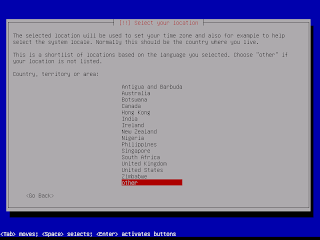
Select continent residence you . Return

Then you may choose country of residence you . Enter

Configuration standard local basis , select the united states has commonly used

Select the keyboard layout that is American English that has been commonly used by many people. Enter

asked to select a primary network interface, please select eth0. Enter

Then there will be a process configure the network, in case of failure just ignore it and enter to continue.

Furthermore, choosing a network configuration method. Debian Linux as the OS will be used for a network, then we need to network configuration. Then select configure network manualy. Buddy must know the rules of granting IP Address for this configuration. If the friend does not require this configuration, so my friend could pass by choosing do not configure the network at this time.

Here Without Installation Network Configuration Current
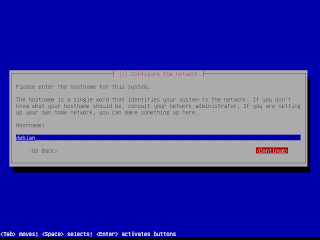
Fill hostname with the name of any friend like. On the windows hostname is the computer name. On debian linux hostname: debian. Press the Tab and Enter
Sorry in the repair!!!!
|


Tidak ada komentar:
Posting Komentar